| What an HDMI extender does | It sends HDMI audio and video over a longer distance than a standard HDMI cable can reliably support. Many systems use a transmitter and receiver connected by category cable; other designs use fiber or coaxial cable. | Confirm the extender’s stated cable type, maximum distance, and supported video format. Performance depends on the complete system, cable quality, and installation. |
| Conference rooms and classrooms | Connect a computer or presentation device to a display or projector across a room or between equipment locations. | Check resolution and refresh-rate requirements, audio support, and whether the system passes control signals needed for the installation. |
| Digital signage | Carry content from a media player to a display mounted far away, such as in a lobby, retail space, or public venue. | Allow for the actual cable route—not just the straight-line distance—and verify compatibility with the source and display. |
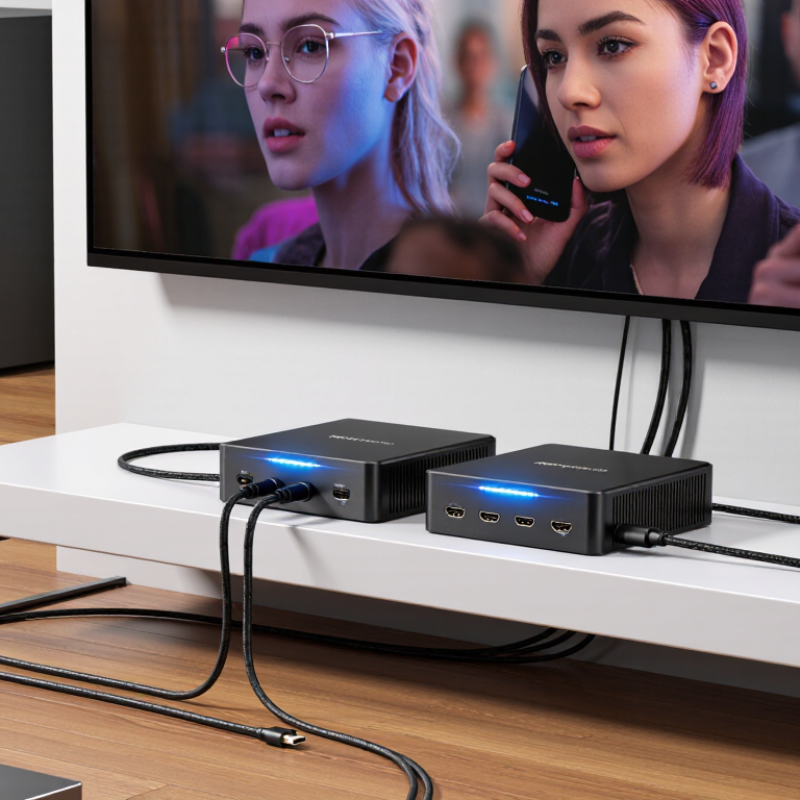
| Home theater and equipment racks | Place source devices in a cabinet or equipment rack while keeping the display in another part of the room or building. | Consider cable routing, ventilation and equipment placement, audio formats, and any need for remote control or signal return. |
| Category-cable models | Commonly use Cat 5e, Cat 6, or another specified category cable. Some models support power over the link, while others require separate power at both ends. | Use the cable type and wiring method specified for the extender. Avoid assuming that every model works with the same cable or reaches the same distance. |
| Fiber-optic models | Use fiber for long cable runs or installations where electrical isolation is useful. The system may use fiber directly or convert HDMI signals to and from fiber. | Check connector type, fiber type, power requirements, and whether the units support the required resolution, refresh rate, and color features. |
| Resolution and bandwidth | Supported formats vary by model. A system designed for one resolution or refresh rate may not support a higher-bandwidth format. | Match the extender to the source and display’s required resolution, refresh rate, HDR or color features, and HDMI version-related capabilities. |
| HDCP and content protection | HDCP compatibility may be necessary for protected video from streaming devices, set-top boxes, and other sources. | Check that the source, extender, and display support compatible HDCP versions and that the complete signal path works together. |
| Audio and control signals | Depending on the model, an extender may carry embedded HDMI audio and pass control signals such as infrared, serial, or Ethernet. | Confirm which signals are supported and whether separate cables, emitters, receivers, or configuration are required. |
| Installation and reliability | Long runs can be affected by cable quality, bends, electrical interference, connectors, and the number of intermediate connections. | Measure the route, follow the manufacturer’s installation limits, use properly terminated cable, and test the full setup before closing walls or ceilings. |



 © Copyright 2020 Tianjin Tanghaidongyang Valve Co., Ltd. All Rights Reserved.